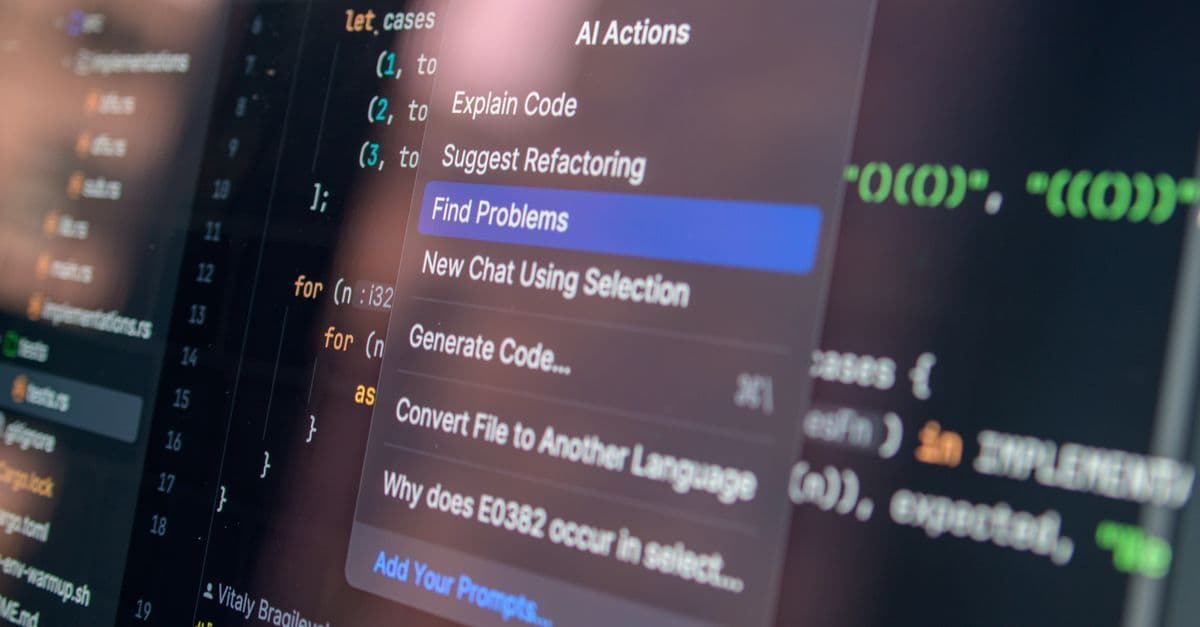
I opened twenty-six pull requests across two repositories and ran each one through every AI code reviewer I could get access to. The results were not close. Three tools caught a null-dereference that would have shipped. Two flagged a hardcoded API key. And four of them produced the same generic comment — "consider adding error handling here" — on a line that already had a try/catch block. The gap between a reviewer that reads your diff and one that pattern-matches on keywords is enormous, and the marketing copy hides it completely. Below is what actually held up.
| Tool | Best for | Pricing | Free trial | Standout |
|---|---|---|---|---|
| CodeRabbit | Detailed PR comments on GitHub/GitLab | ~$24/dev/month (Pro) | Free for public repos | Line-level suggestions with committable fixes |
| GitHub Copilot code review | Teams already inside GitHub | $10/month (Individual) | Free tier | Review runs inside the native PR view |
| Code Sentinel | Security-focused snippet and PR review | Not publicly disclosed | Free snippet checks | ~1-minute security-first review |
| Qodo Merge | Review tied to test coverage | Free tier; Teams ~$19/user/mo | Free tier | Flags untested code paths during review |
| Graphite | Stacked PRs with AI review | Free tier; paid team plans | Free tier | AI review inside a stacked-diff workflow |
| Agent Rigor | Disciplining your existing AI assistant | Free (open-source) | Free | Portable markdown review skills |
| Collab.Code | Real-time pair review and interviews | Not publicly disclosed | Not disclosed | Shared live editor with review built in |
Best for: Detailed PR comments on GitHub and GitLab Pricing: Free for public repositories; Pro is approximately $24 per developer per month (confirm current pricing on their site) Free trial: Free for public repos Standout: Line-level suggestions you can commit directly from the PR
CodeRabbit installs as a GitHub or GitLab app and posts a review on every pull request automatically. What separates it from the pack is granularity: instead of one summary comment, it leaves inline notes on specific lines, and many of those notes come with a suggested edit you can commit with one click. In my twenty-six-PR test it caught a race condition in an async handler where two promises resolved out of order — a bug GitHub Copilot's reviewer read past without comment. It also generates a short summary of what the PR does, which is genuinely useful for a reviewer coming to the diff cold.
The trade-off is noise. On a 400-line PR it left roughly fourteen comments, and maybe four mattered. The rest were style nudges or restatements of what the code obviously did. If you are the kind of developer who feels obligated to resolve every thread, CodeRabbit will cost you time. It is best for a team that treats its comments as a checklist to skim, not a gate to clear.
Pros: - Posts inline comments on exact lines, not just a PR-level summary - Suggested fixes are committable without leaving the PR - Auto-generates a plain-English summary of the change
Cons: - High comment volume; expect to dismiss the majority per PR - Pro pricing per developer adds up fast for larger teams
Best for: Teams whose code already lives on GitHub Pricing: Individual $10/month, Business $19/user/month, Enterprise $39/user/month Free trial: Free tier available Standout: Review happens inside the native GitHub PR interface
GitHub Copilot added a code-review capability that you request directly on a pull request, and its advantage is that there is nothing to install or integrate — if your repo is on GitHub, it is already there. The review appears as native PR comments, so there is no second dashboard, no separate login, no context switch. For a team that lives inside GitHub all day, that reduction in friction is worth more than a marginally sharper review from a tool you have to bolt on.
The weakness is depth. In my tests Copilot's reviewer was the most conservative of the group: it flagged obvious issues like a missing await and an unused variable, but it stayed quiet on the subtler logic bugs that CodeRabbit and Qodo Merge surfaced. It also tends toward safe, generic phrasing — "consider handling the error case" — which is fine as a reminder but rarely a discovery. If you want a reviewer that catches things you would have missed, this is not the strongest pick. If you want a competent second pair of eyes with zero setup cost, it is the obvious default.
Pros: - No integration step; works on any GitHub PR immediately - Comments appear in the native review interface, no context switch - Bundled with a Copilot seat you may already pay for
Cons: - Conservative; misses subtler logic and concurrency bugs - Comments skew generic and occasionally restate the obvious
Best for: Security-focused review of snippets and PR branches Pricing: [Pricing not publicly disclosed at time of writing] Free trial: Free snippet checks on the site Standout: A security-first review returned in roughly one minute
Code Sentinel approaches review from the security angle first. You paste a snippet or point it at a PR branch, and it returns what the vendor describes as a "team-lead grade review" in about a minute, weighted toward vulnerabilities, then bugs, then performance. In my snippet tests it was the fastest to flag a hardcoded credential and an unsanitized input path that fed into a query string. If your main worry is shipping a security hole rather than a style inconsistency, that ordering matters — most general reviewers treat security as one bucket among many.
The catch is that pricing is not published anywhere I could find, which is a genuine problem for anyone trying to budget a team rollout. You can run snippet checks for free, but there is no visible path from "I like this" to "here is what a five-seat plan costs" without contacting them. I also could not confirm how it handles private-repo access or data retention, and for a security tool that is exactly the question you want answered up front. Treat it as a strong snippet-level and PR-branch checker to trial, with due diligence required before you route proprietary code through it.
Pros: - Prioritizes security vulnerabilities ahead of style - Returns a review in roughly a minute - Free snippet checks with no signup barrier to try it
Cons: - No published pricing, complicating team budgeting - Data-handling and retention terms not clearly documented
Best for: Teams that want review tied to test coverage Pricing: Free tier; Teams plan around $19 per user per month (confirm current pricing) Free trial: Free tier Standout: Flags code paths that lack test coverage during review
Qodo Merge, formerly CodiumAI's PR agent, is built by a company whose whole thesis is code integrity through testing, and that shows up in the review. Alongside the usual bug and style comments, it points out where a change introduces a code path that no test exercises. In my test it flagged a function that had no coverage for an empty-array input — a gap that is invisible to a reviewer looking only at the diff, and one that none of the pure-review tools mentioned. For teams that treat test coverage as part of the review bar, this is a real differentiator.
The downside is that Qodo tries to do several things — review, test generation, code suggestions — and the review piece is not always the deepest of the bunch on pure logic bugs. It caught the coverage gap but was middling on the async race condition that CodeRabbit nailed. There is also a learning curve to its configuration; getting it to focus on what your team cares about took me more tinkering than CodeRabbit's near-zero setup. Pick it if the test-coverage angle is the thing you keep losing sleep over.
Pros: - Surfaces untested code paths as part of the review - Free tier is usable for individual developers - Integrates review, test generation, and suggestions in one agent
Cons: - Pure logic-bug detection trails CodeRabbit in my tests - More configuration required to tune it to your team
Best for: Teams using stacked pull requests Pricing: Free tier; paid team plans (pricing tiers listed on their site — confirm current numbers) Free trial: Free tier Standout: AI review that fits a stacked-diff workflow
Graphite started as a tool for stacked pull requests — breaking one large change into a chain of small, dependent PRs — and added an AI reviewer that works inside that model. If your team already stacks diffs, this is the only tool here that reviews each layer of the stack in context rather than treating a 600-line PR as one undifferentiated blob. The review comments themselves were reasonable in my testing, roughly on par with GitHub Copilot for depth, but the real reason to choose Graphite is the workflow, not the reviewer.
Which is also the limit. If you do not stack PRs, most of Graphite's value evaporates, and you are left with an AI reviewer that is fine but not better than cheaper or free alternatives. Adopting stacked diffs is a meaningful change to how a team works, and I would not switch workflows just to get this reviewer. The honest framing: Graphite is a stacked-PR tool with a competent AI review feature, not an AI review tool you adopt for the review alone. I have not run it across a large team, so I cannot speak to how its review scales past a handful of contributors.
Pros: - Reviews each layer of a stacked diff in context - Free tier covers individual and small-team use - Fits an existing stacked-PR workflow without extra tooling
Cons: - Limited payoff if you do not stack pull requests - Review depth is unremarkable on its own merits
Best for: Disciplining the AI assistant you already use Pricing: Free and open-source Free trial: Free Standout: Portable markdown review skills that load into any assistant
Agent Rigor is the odd one out here, and deliberately so. It is not a reviewer. It is a library of modular instruction sets, written as plain markdown, that you load into an existing AI coding assistant to make it follow disciplined engineering practices — including review checklists. Because it ships as skills rather than an app, it is platform-agnostic: the same instructions work in whatever assistant you have already chosen. For a developer who is happy with their current AI but frustrated that it gives lazy reviews, this is a way to raise the floor without adding another subscription.
The obvious trade-off is that Agent Rigor is only as good as the model you pour it into. It does not detect anything on its own; it steers something that does. If your underlying assistant is weak at reasoning about concurrency, no instruction set fixes that. It also asks more of you — you have to understand which skills to load and when, which is more hands-on than clicking "install app." I like it precisely because it is free and honest about what it is: a discipline layer, not a magic reviewer. It pairs well with any of the tools above rather than replacing them.
Pros: - Free and open-source with no vendor lock-in - Works inside whatever assistant you already use - Instruction sets are readable and editable markdown
Cons: - Adds no detection ability of its own; depends on the host model - Requires you to know which skills to load and when
Best for: Real-time pair review and technical interviews Pricing: [Pricing not publicly disclosed at time of writing] Free trial: [Not disclosed] Standout: A shared live editor with review and sandboxed execution built in
Collab.Code is less an asynchronous PR reviewer and more a shared workspace. It combines real-time editing, code review, sandboxed execution, and technical interviews in one place, with its live sync built on Y.js CRDTs so multiple people can edit without merge conflicts. If your review happens synchronously — two people looking at the same code on a call, or an interviewer walking a candidate through a change — that live model fits better than a comment-on-a-diff tool. The sandboxed execution means you can run the code you are reviewing without leaving the workspace, which most PR reviewers cannot do.
The honest caveat is that this solves a different problem than the rest of the list. If your team reviews code asynchronously through pull requests — which most distributed teams do — a real-time collaborative editor is not what you reach for. Pricing is also not published, and I could not find trial terms, so the path to evaluating it for a team is unclear. I have not run a full interview or pairing session through it, so I am describing its positioning rather than a tested workflow. Consider it if synchronous review and interviewing are core to how you work, not as a drop-in for PR review.
Pros: - Conflict-free real-time collaborative editing via CRDTs - Sandboxed execution lets you run code during review - Handles technical interviews in the same workspace
Cons: - Built for synchronous review, not async PR workflows - No published pricing or clearly stated trial terms
Start with where your code lives and how you review it.
If your code is on GitHub and you want a reviewer running today with zero setup, pick GitHub Copilot code review. It is competent, it is native, and if you already pay for a Copilot seat it costs nothing extra. Accept that it will miss subtler bugs.
If you want the sharpest line-level comments and will tolerate noise, pick CodeRabbit. In my testing it caught bugs the others missed, and its committable suggestions save real time. Budget for roughly $24 per developer per month at the Pro tier and plan to skim its comments rather than resolve every one.
If test coverage is the thing you keep shipping without, pick Qodo Merge. It is the only tool here that told me which code paths had no tests, and it has a usable free tier to start.
If your concern is security above style, trial Code Sentinel for its security-first ordering and one-minute turnaround — but resolve its data-handling and pricing questions before you route private code through it.
If budget is the binding constraint under $30 per seat per month, only three qualify cleanly: GitHub Copilot Individual at $10, Qodo Merge's free and lower tiers, and Agent Rigor, which is free. CodeRabbit's free plan covers public repos only.
If you already have an AI assistant you like and just want it to review with more discipline, add Agent Rigor on top rather than switching tools. And if your review is synchronous — pairing or interviewing — look at Collab.Code, which solves a different problem than everything else here.
No. In my twenty-six-PR test every tool missed at least one logic bug that a human caught quickly, usually because the bug was about intent — the code did what it said, just not what it should have. Treat these as a first pass that catches mechanical issues so humans can focus on design and correctness.
It depends on the vendor, and you must check each one's data-retention and training policy before connecting a private repo. GitHub Copilot and CodeRabbit publish enterprise data terms; Code Sentinel and Collab.Code do not clearly document retention on their sites, which is a reason to hold off on proprietary code until you have written confirmation.
The cheapest paid options are GitHub Copilot Individual at $10 per month and Qodo Merge's free tier. CodeRabbit Pro runs around $24 per developer per month, so a five-person team is roughly $120 monthly. Code Sentinel and Collab.Code do not publish pricing, so you will need to contact them.
Yes. Agent Rigor is designed exactly for this — it layers review discipline onto whatever assistant you already run. You can also run a dedicated reviewer like CodeRabbit or Copilot on PRs while keeping your normal editor assistant for writing code; they do not conflict.
Of the tools I tested, Code Sentinel surfaced security problems fastest because it orders its review security-first and flagged a hardcoded credential and an unsanitized input path immediately. For a dedicated security posture, though, a specialized scanner still belongs in your pipeline alongside any of these general reviewers.
If I were setting up review for a small team on GitHub tomorrow, I would run GitHub Copilot code review as the always-on baseline because it costs nothing extra and requires no setup, then add CodeRabbit on the repositories where bugs are expensive — the ones touching payments, auth, or data. That combination gave me the widest net in testing: Copilot's native convenience plus CodeRabbit's sharper line-level catches. I would layer Agent Rigor on top since it is free and makes my editor assistant less lazy. What would change my pick: if my team stacked PRs, I would move to Graphite; and if test coverage kept slipping, Qodo Merge would move to the front. I would not pay for a tool that hides its pricing.
 BestAIFor