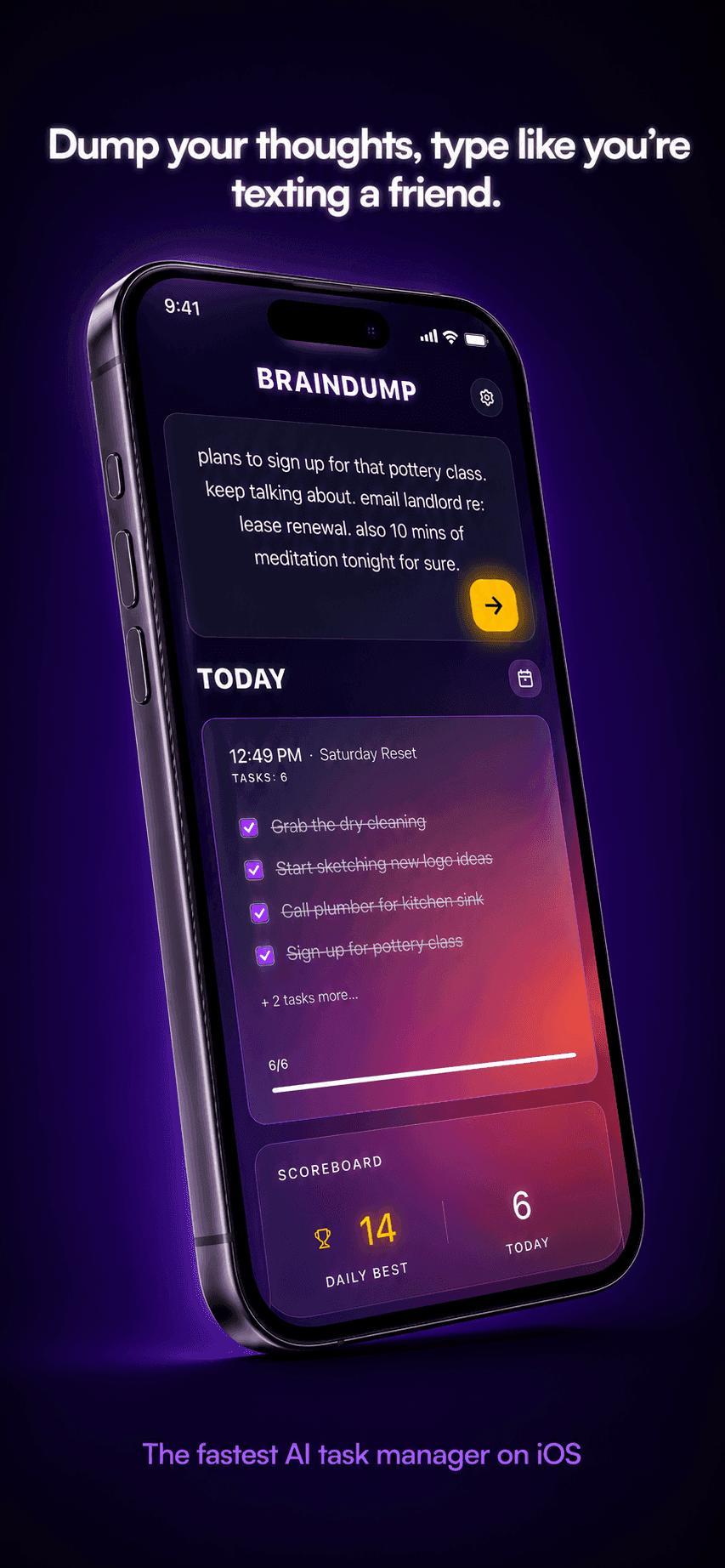
What is BrainDump?
BrainDump is an AI to-do and task management app for iOS that turns unstructured, stream-of-consciousness notes into organized, prioritized task lists for students, busy professionals, and entrepreneurs. You type freely as thoughts come, and the app's AI extracts the actual tasks, identifies what is urgent, and structures everything into a clean list without manual sorting. The Smart Priority Engine flags time-sensitive items automatically, and lightning-fast capture is built for getting an idea down before it slips away. A history and calendar view tracks tasks over time, and advanced task management lets you re-sort, edit, and delete items as plans change. Yesterday's Carryover rolls unfinished tasks forward to the next day, while Smart Reminders handle notifications and deadline tracking. The app adds motivational touches through a celebration engine with confetti, scoreboards, and streaks, and Premium Share Cards let you export shareable summaries for coordinating with others. The interface uses a glassmorphic design intended to keep the focus on capturing and clearing tasks. All core features are available on the free tier, which allows 5 dumps per day and 30 lifetime dumps; paid plans remove those usage limits. BrainDump Pro Weekly is $2.99 and the BrainDump Annual plan is $24.99.
What is BrainDump used for?
Capturing scattered thoughts, turning notes into to-do lists, prioritizing urgent tasks, deadline reminders, daily task carryover, sharing task summaries
How much does BrainDump cost?
Pros and cons
Pros
- AI extracts clean, prioritized tasks from messy stream-of-consciousness input
- Smart Priority Engine automatically flags urgent items
- Yesterday's Carryover rolls unfinished tasks forward to the next day
- History and calendar view plus smart reminders track tasks over time
- All core features available on the free tier
Cons
- iOS only — no Android or web version
- Free tier limited to 5 dumps per day and 30 lifetime dumps
- Premium Share Cards and unlimited usage require a paid subscription
Questions about BrainDump
What is BrainDump?
BrainDump is an AI-powered iOS to-do app that converts unorganized, stream-of-consciousness notes into structured, prioritized task lists, automatically extracting tasks and flagging urgent ones.
Is BrainDump free?
Yes, BrainDump has a free tier with all core features, limited to 5 dumps per day and 30 lifetime dumps. BrainDump Pro Weekly is $2.99 and the Annual plan is $24.99 to remove usage limits.
What platforms does BrainDump support?
BrainDump is available on iOS through the Apple App Store. There is no Android or web version listed.
BrainDump vs Todoist?
Todoist is a structured task manager where you enter tasks one by one, while BrainDump lets you dump messy thoughts and uses AI to extract and prioritize tasks automatically, with features like Yesterday's Carryover and streaks.
Reviews
Sign in to rate and review BrainDump.
Sign in to reviewNo reviews yet. Be the first to review BrainDump!