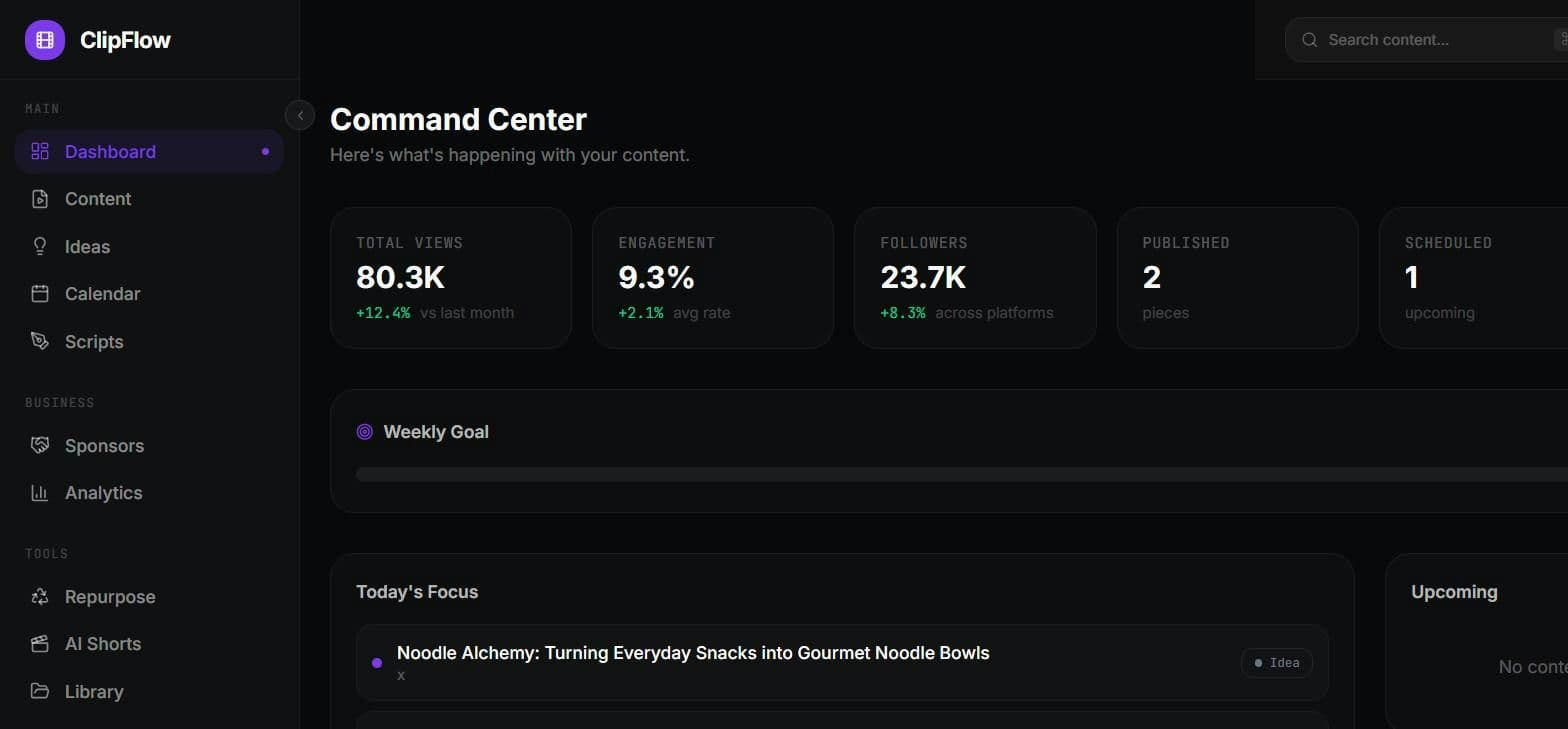
What is ClipFlow — Creator OS?
ClipFlow Creator OS is an AI productivity tool that gives content creators one dashboard to plan, create, schedule, and analyze their content, positioned by the product as the operating system for a content business. Rather than juggling separate apps for ideas, publishing calendars, and performance numbers, ClipFlow is presented as a single place where those four stages live together, so a creator can move an idea through planning and creation into a schedule and then review how it performed without leaving the tool. The homepage frames the product squarely at people running content as a business, where keeping planning, production, scheduling, and analytics in one view is the core promise. Because the public site is a single-page app that exposes limited detail beyond this positioning, we have kept the feature claims here to what the product itself states and have not added specifics it does not publish. For BestAIFor readers evaluating creator workflow tools, ClipFlow is worth a look if you want a consolidated content command center and are comfortable trying an early-stage product directly to judge how deep each of the plan, create, schedule, and analyze stages goes.
What is ClipFlow — Creator OS used for?
Planning, creating, scheduling, and analyzing content from one dashboard for creators running a content business.
How much does ClipFlow — Creator OS cost?
Pros and cons
Pros
- Combines planning, creation, scheduling, and analytics in a single dashboard
- Positioned as one content command center instead of several disconnected apps
- Aimed specifically at creators running content as a business
Cons
- Public homepage publishes little detail beyond the core positioning
- No pricing is shown, so cost cannot be evaluated before signing up
- Appears early-stage, so feature depth across the four stages is unproven from the site alone
- No named integrations or supported platforms are listed publicly
Questions about ClipFlow — Creator OS
What is ClipFlow Creator OS used for?
ClipFlow Creator OS is used to plan, create, schedule, and analyze content from one dashboard. It is marketed as an operating system for a content business, meant to replace separate tools for ideation, publishing calendars, and performance tracking.
Who is ClipFlow for?
ClipFlow is aimed at content creators who run content as a business and want planning, production, scheduling, and analytics in a single view rather than spread across multiple apps.
Is ClipFlow free?
The homepage does not publish any pricing or plans, so cost is unclear. Prospective users would need to contact the product or sign up to find out what, if anything, it costs.
What does ClipFlow do that a regular scheduler does not?
ClipFlow positions itself beyond scheduling by covering the full content cycle: planning and creating content, scheduling it, and then analyzing its performance from the same dashboard. The site stresses consolidation over single-purpose scheduling tools.
Reviews
Sign in to rate and review ClipFlow — Creator OS.
Sign in to reviewNo reviews yet. Be the first to review ClipFlow — Creator OS!