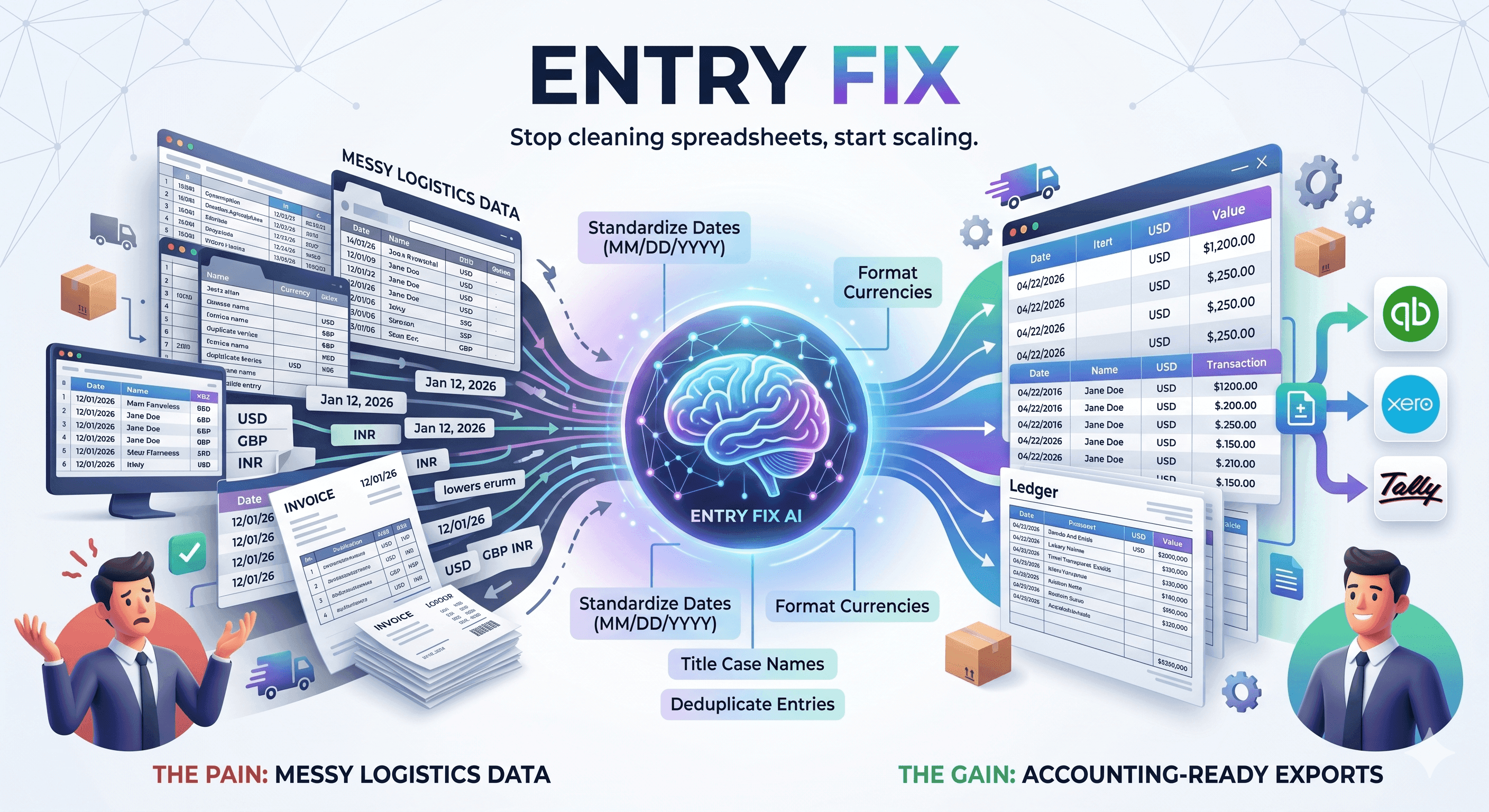
What is Entry Fix?
EntryFix tackles one of the most time-consuming parts of accounting prep: inconsistent data formats in spreadsheets. Upload a CSV or Excel file and the AI scans for formatting problems — mismatched date formats, mixed currency symbols, inconsistent name casing — and standardizes them in bulk. Before anything is committed, you get a full preview of every proposed change so nothing is altered without your review. Once the data looks right, export directly to QuickBooks, Xero, or Tally in a format those platforms accept without further cleanup. It's aimed at bookkeepers, accountants, and small business owners who import transaction data regularly and lose time fixing format errors before they can actually use it.
What is Entry Fix used for?
AI tool for creators toolkit workflows
How much does Entry Fix cost?
Pricing not published
Visit the website for current pricing information.
Pros and cons
Pros
• Automatically detects and standardizes common formatting issues — mismatched date formats, mixed currency symbols, and inconsistent name casing — across entire spreadsheets in bulk • Full change preview before any data is committed, giving users complete visibility and control over every proposed correction • Accepts both CSV and Excel uploads, covering the most common file formats used in bookkeeping workflows • Direct export to QuickBooks, Xero, and Tally in platform-ready formats, eliminating manual reformatting after cleanup • Purpose-built for accounting prep workflows, making it immediately useful for bookkeepers and accountants without a learning curve
Cons
• Limited to formatting standardization — does not validate transaction amounts, detect duplicates, or perform deeper data integrity checks • Export destinations are restricted to QuickBooks, Xero, and Tally; users on other platforms must export and reformat manually • No mention of batch processing multiple files simultaneously, which could slow down high-volume bookkeeping operations • Pricing is not publicly disclosed, making it difficult to evaluate cost before signing up
Questions about Entry Fix
What does EntryFix do?
EntryFix is an AI-powered spreadsheet cleanup tool for accounting data. It scans uploaded CSV or Excel files for formatting inconsistencies — such as mismatched date formats, mixed currency symbols, and irregular name casing — and standardizes them in bulk. Users review all proposed changes in a preview before anything is applied, then export the cleaned data directly to QuickBooks, Xero, or Tally.
Who is EntryFix designed for?
EntryFix is designed for bookkeepers, accountants, and small business owners who regularly import transaction data into accounting platforms. It is particularly useful for anyone who loses time manually fixing format errors in spreadsheets before they can be imported into software like QuickBooks, Xero, or Tally.
Which accounting platforms does EntryFix support for export?
EntryFix currently supports direct export to QuickBooks, Xero, and Tally. The exported files are formatted to be accepted by those platforms without requiring additional cleanup after export.
How does EntryFix compare to cleaning data manually in Excel?
Manual cleanup in Excel requires writing formulas or macros to find and fix inconsistencies across large datasets, which is time-consuming and error-prone. EntryFix automates the detection and standardization process across the entire file in one step, shows a full preview of every change before committing, and outputs a file ready for direct import into accounting software — reducing the process from hours to minutes.
What is the pricing for EntryFix?
EntryFix has not publicly disclosed its pricing plans. Visit https://entryfix.lovable.app to see current pricing information or sign up for access.
What are the best alternatives to Entry Fix?
Compare this tool against close alternatives in the same category, focusing on output quality, onboarding speed, and workflow fit.
Reviews
Sign in to rate and review Entry Fix.
Sign in to reviewNo reviews yet. Be the first to review Entry Fix!