What is PaintFlow AI?
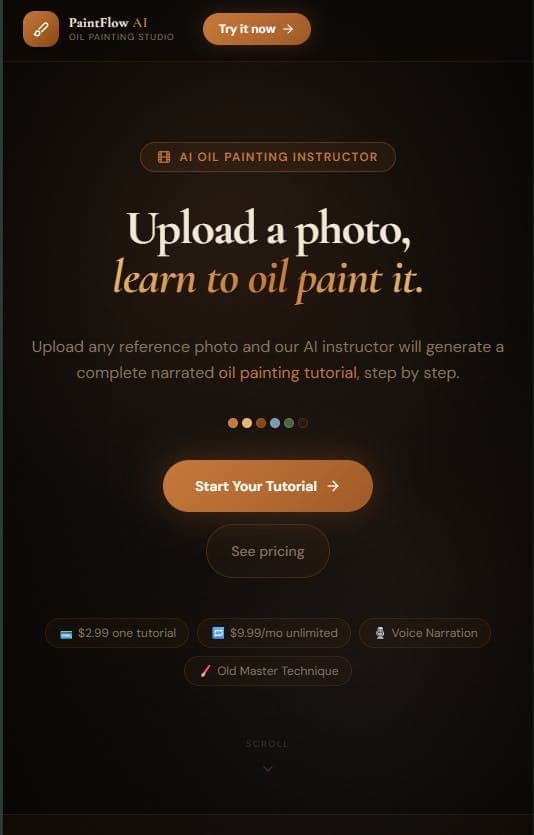
PaintFlow AI is an AI oil painting tutorial tool that turns any reference photo into a complete, step-by-step lesson for hobbyist and self-taught artists. You upload a photo you want to paint, choose a skill level (Beginner, Intermediate, or Advanced), and it generates a narrated tutorial tailored to that level. Each lesson includes an exact materials list, specific color-mixing ratios, and classical oil painting techniques such as imprimatura (the tinted underpainting), grisaille (the monochrome value layer), and glazing (transparent color layering). It also produces an AI-generated video that walks through each painting stage, so you can see the piece build up before you commit paint to canvas. Because the instructions are derived from your own reference image rather than a fixed set of preset lessons, PaintFlow AI works for portraits, landscapes, still lifes, or any subject you photograph. It is aimed at people who want to learn traditional oil painting from images they personally love, without enrolling in a formal course. Pricing is not published on the homepage. It is a new, niche tool focused specifically on oil painting instruction rather than general digital art generation.
What is PaintFlow AI used for?
Hobbyist and self-taught artists use it to turn a reference photo into a step-by-step oil painting tutorial with materials, color ratios, and stage videos.
Pros and cons
Pros
- Generates a full step-by-step oil painting tutorial from any uploaded reference photo
- Lets you pick Beginner, Intermediate, or Advanced so the lesson matches your skill
- Provides exact materials lists and specific color-mixing ratios, not vague guidance
- Teaches classical techniques (imprimatura, grisaille, glazing) rather than generic tips
- Includes an AI-generated video showing each painting stage
Cons
- Pricing is not published on the homepage, so cost and any free tier are unclear
- New and unproven, with limited public documentation or reviews
- Narrowly focused on oil painting only, not acrylics, watercolor, or digital art
- AI-suggested color ratios and steps may need adjustment against real pigments and lighting
Questions about PaintFlow AI
What is PaintFlow AI?
PaintFlow AI is an AI tool that analyzes any reference photo and generates a complete, narrated, step-by-step oil painting tutorial. It provides a materials list, color-mixing ratios, classical techniques like imprimatura, grisaille, and glazing, plus an AI-generated video showing each painting stage.
How does PaintFlow AI work?
You upload a reference photo you want to paint and choose a skill level (Beginner, Intermediate, or Advanced). PaintFlow AI then produces a tailored oil painting lesson with exact materials, color-mixing ratios, technique instructions, and a stage-by-stage video.
Who is PaintFlow AI for?
PaintFlow AI is for hobbyists and self-taught artists who want to learn oil painting from photos they personally love, without taking a formal in-person course. Skill-level options make it usable for both beginners and more advanced painters.
Is PaintFlow AI free?
PaintFlow AI does not publish pricing or a free-tier details on its homepage, so whether there is a free plan or trial is unclear. Check the site directly for current pricing before signing up.
What oil painting techniques does PaintFlow AI teach?
PaintFlow AI teaches classical oil painting techniques including imprimatura (a tinted underpainting), grisaille (a monochrome value layer), and glazing (applying transparent layers of color), alongside exact color-mixing ratios for your chosen reference photo.
Reviews
Sign in to rate and review PaintFlow AI.
Sign in to reviewNo reviews yet. Be the first to review PaintFlow AI!